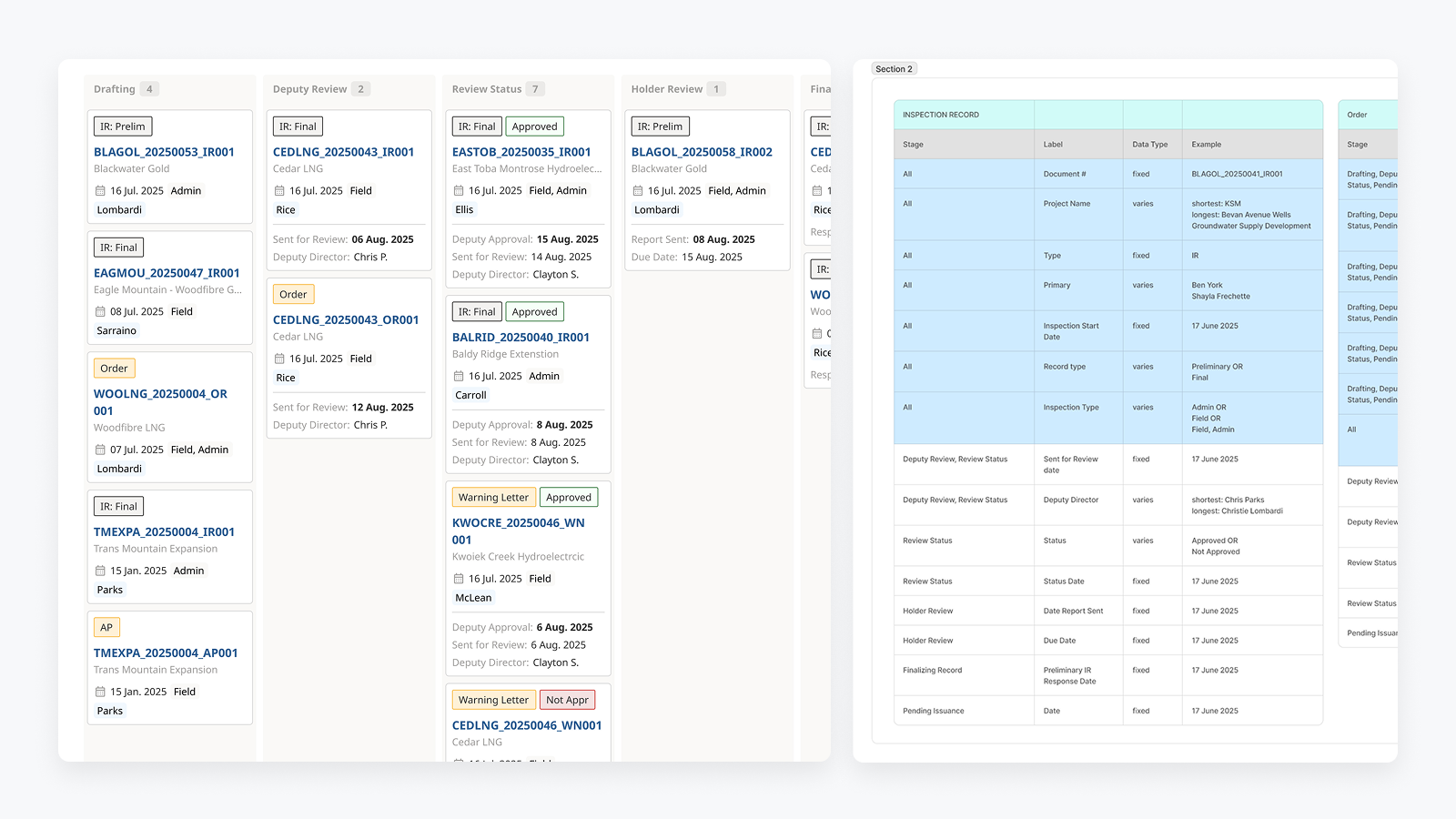
EPIC.Compliance – Designing a Legally Defensible Compliance Platform for a Regulated Government Environment
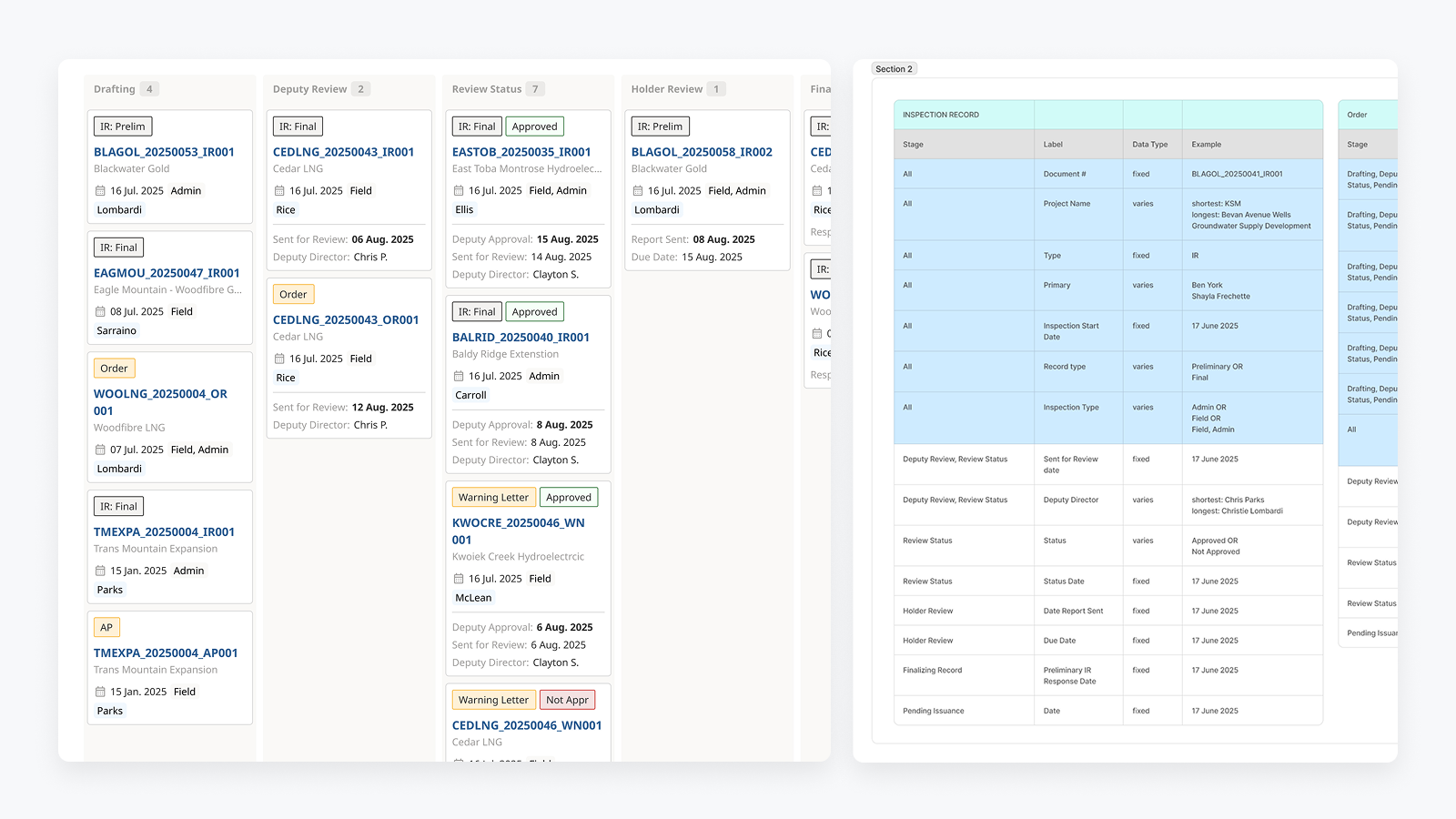
MY ROLE:
Lead UX Designer (Senior)
TIMELINE:
Jan 2024 - November 2025
TEAM SETUP:
Lead UX Designer, Product Owner, Software Engineers
METHODS USED:
Discovery interviews, Affinity Mapping, Service Blueprinting, System & Workflow Mapping, Low- and High-Fidelity Design, Usability Testing
EPIC.Compliance - internal compliance platform for a regulated government environment, supporting legally defensible workflows and multi-role review processes.
At a glance
Replaced fragmented spreadsheets, documents, and email workflows with a centralized compliance platform
Designed rule-driven, role-based workflows that prevent legally invalid actions
Shipped a production system now managing ~1,000 active case files
Established design + documentation infrastructure used to scale future products
Video walkthrough: EPIC.Compliance core workflows
This 6-minute walkthrough demonstrates the actual production system running in a TEST environment, showing:
End-to-end case file workflows
Role-based permissions and enforcement constraints
How legal rules are embedded directly into the UI permissions across officers and reviewers
The system was designed to reduce ambiguity, support consistent decision-making, and ensure actions taken by officers are traceable, predictable, and defensible.
6-min walkthrough of core workflows, role-based logic, and compliance constraints
The problem
Who was struggling
Compliance and Enforcement officers at the Environmental Assessment Office (EAO), including field officers, deputy directors, and reviewers responsible for inspections, enforcement actions, and legally defensible records once a project entered construction.
What wasn’t working
Compliance data was fragmented across Excel spreadsheets, email threads, shared drives, and document templates.
Officers manually re-entered the same project information (project name, certificate numbers, dates)
Understanding a project’s compliance history required opening multiple documents and cross-referencing files with no clear linkage.
Reviews and approvals depended on manual tracking, increasing the risk of missed steps or premature closures.
Why it mattered
Legal risk: Inspection records, orders, and timelines can be scrutinized in court. Incomplete or inconsistent records weaken legal defensibility.
Operational cost: Manual back-population, duplicate data entry, and document assembly consumed significant officer time.
Error risk at scale: As inspection volume increased, so did the likelihood of incorrect dates, mismatched project details, or missing enforcement steps.
Limited visibility: Managers and reviewers lacked a real-time view of what work was in progress, delayed, or awaiting review.
The organization needed a system that could centralize compliance data, enforce process rules, and make complex workflows explicit — without relying on individual memory or manual workarounds.
To understand the root causes, I mapped the end-to-end inspection and enforcement workflows across roles and systems
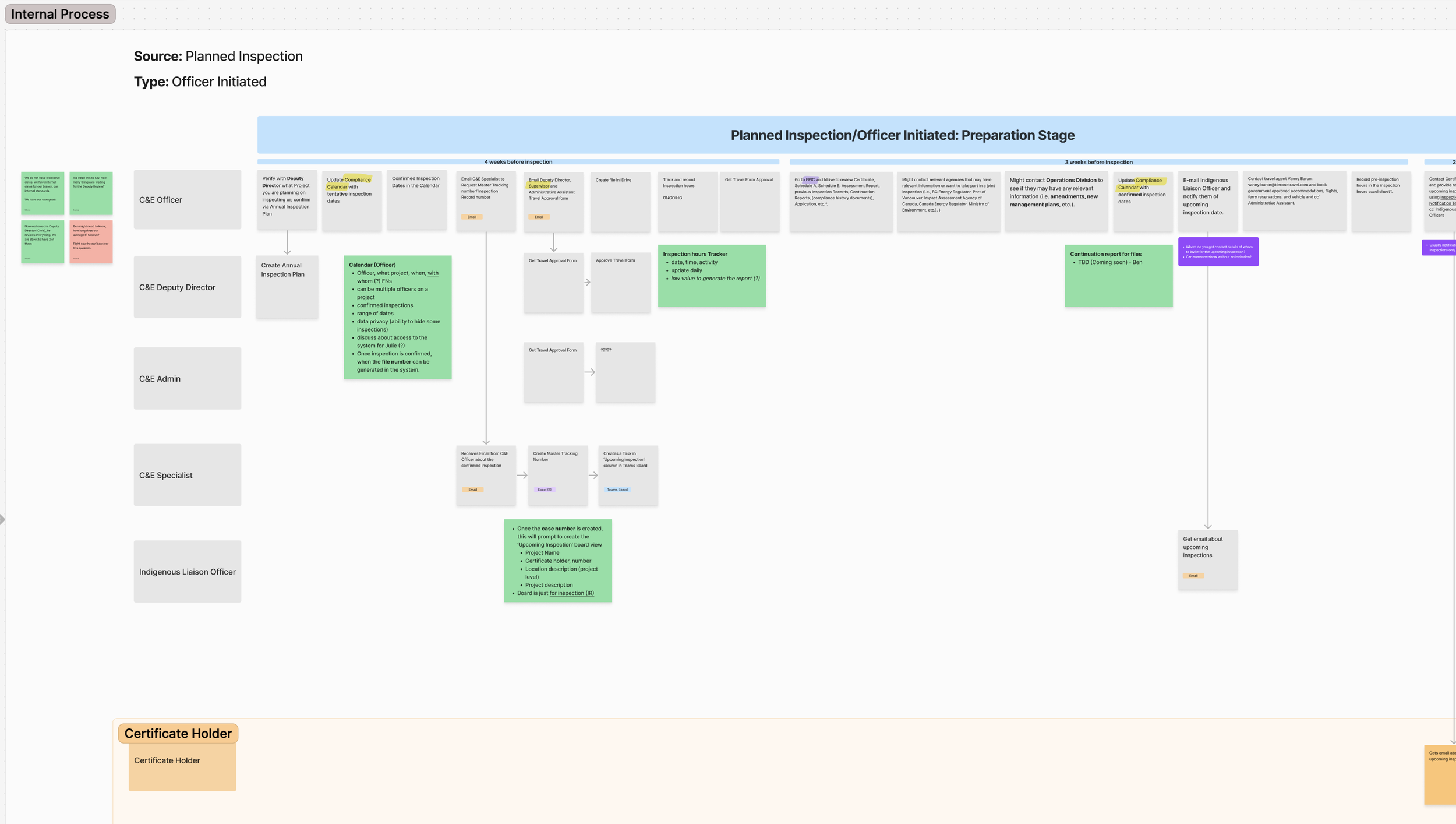
Early discovery mapping of inspection and enforcement workflows across roles, revealing handoffs, policy constraints, and breakdowns caused by fragmented tools.
Constraints & Complexity
Legacy Systems & Integrations
Core project information already existed in a separate system (EPIC.Track), which acted as the single source of truth across the organization. Rather than duplicating data, the new system needed to integrate via APIs, inherit existing structures, and remain consistent with other EAO products. Officers were accustomed to working across multiple tools; replacing everything at once was neither feasible nor desirable.
Technical Limitations
The system had to support complex, rule-driven workflows while remaining understandable and usable for non-technical users.
Document generation (PDFs with images, tables, and structured requirements) was resource-intensive and required careful handling to avoid performance issues.
The interface needed to work across different devices and screen sizes used in office and field contexts, without introducing separate products.
Organizational Resistance & Trust
Officers had experienced previous tooling attempts that failed to reflect their real workflows, leading to skepticism toward new systems.
Adoption depended on proving that the system reduced manual work rather than introducing new administrative burden.
Design decisions needed to be validated collaboratively with officers, policy stakeholders, and developers to build confidence and shared ownership.
Risk & Error Tolerance
Errors were not just usability issues — they could have legal, reputational, and operational consequences.
The system needed to prevent premature actions (e.g. closing files too early) and surface unresolved dependencies clearly.
UX decisions prioritized clarity, safeguards, and transparency over speed or visual minimalism.
Regulatory & Policy Constraints
Compliance and Enforcement workflows are governed by legislation and policy, with strict rules around sequencing, approvals, and record-keeping.
Inspection records, orders, and timelines must be legally defensible, with clear traceability of who did what and when.
Certain actions (e.g. closing an inspection or case file) are only valid once all prerequisite steps are completed, leaving little room for flexibility or interpretation.
My role and ownership
Product Direction. Defined how Compliance & Enforcement workflows should function in a digital system, including case file structure, review stages, and dependency rules.
User Experience. Designed end-to-end officer workflows for inspections, complaints, enforcement actions, and reporting — with a focus on error prevention and legal defensibility.
System Design. Created service blueprints, flow diagrams, and interaction models to align policy, user behavior, and technical constraints.
Validation & Quality. Planned and ran usability testing, translating results into concrete design changes and development tasks.
Continuity & Handoff. Established design and business documentation and consolidated UI patterns into a scalable design system for long-term maintainability.
Discovery & Insight
How I Approached Discovery
I focused on understanding how Compliance & Enforcement officers actually work today — not just how processes are documented. Discovery included targeted interviews with officers, review of existing documentation and templates, walkthroughs of current tools, and analysis of prior attempts to digitize parts of the workflow.
Rather than running broad research activities, I prioritized methods that would surface risk, error points, and system dependencies early.
“Mobile-first” was the wrong framing for this domain
Previous attempts to build a mobile app failed because they tried to replicate office workflows in the field without addressing underlying system complexity.
→ Instead of pursuing a separate mobile solution, I designed adaptive layouts optimized for smaller screens while preserving full functionality.
Accuracy and traceability mattered more than speed
Officers’ actions can be reviewed in court. Missing timestamps, overwritten content, or unclear document versions posed real legal risk.
→ This shifted the design focus toward structured inputs, activity tracking, and system-enforced rules, rather than free-form flexibility.
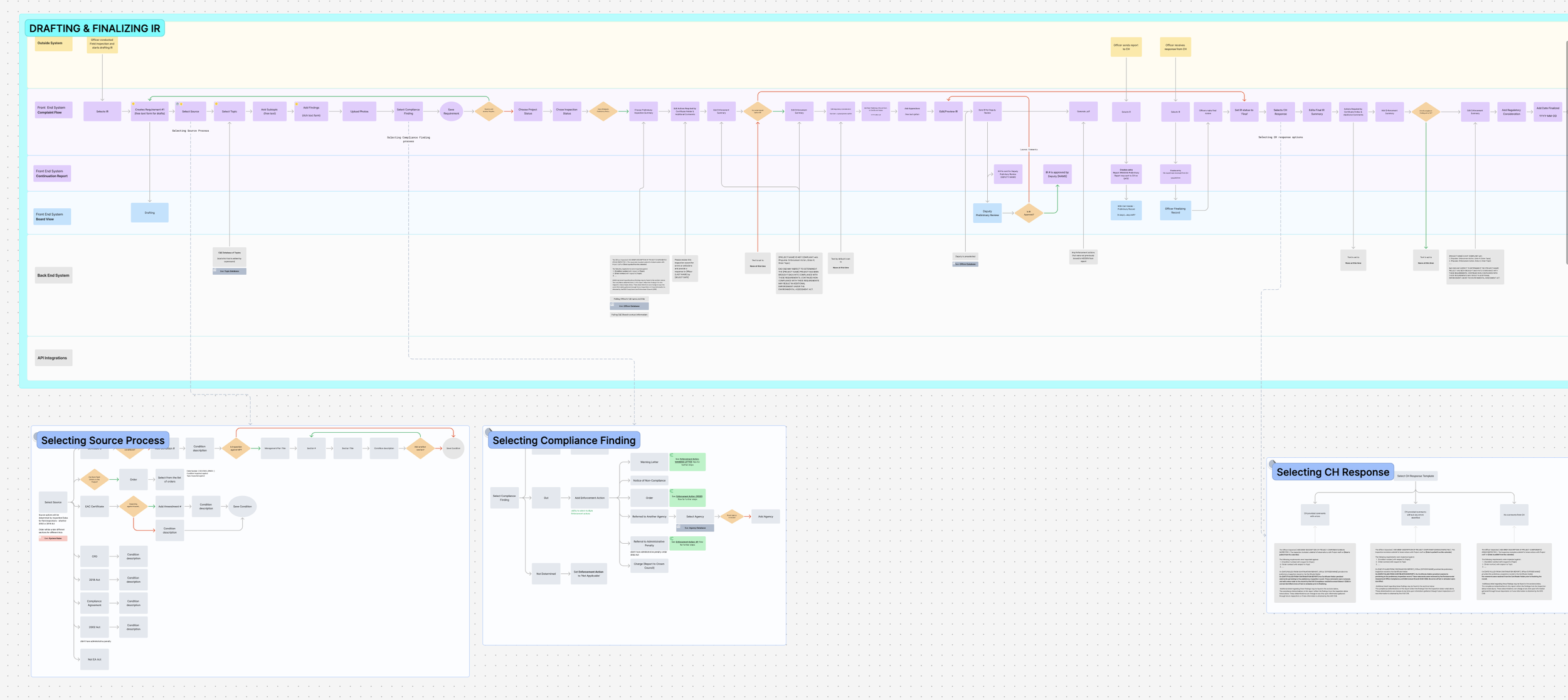
An example of the Future Service Blueprint about Drafting and Finalizing Inspection Record
Designing the System
Configurability
Configurability was applied selectively. Officers can:
Reorder requirements and sections to match inspection reality
Adjust templates when exceptions apply
Work within structured inputs that still allow professional judgment
Configurability was intentionally limited where it would increase legal or data risk. In regulated contexts, predictability and consistency mattered more than unlimited flexibility.
System Structure & Flow
The system was designed around case files as the primary organizing unit. All inspections, complaints, enforcement actions, and reports are linked to a case file, allowing officers to understand context, history, and dependencies without navigating between disconnected records.
Workflows were structured to reflect real-world progression — drafting, review, approval, and closure — with system-driven state changes rather than manual status management. This reduced the risk of files being left in incorrect states or progressing prematurely.
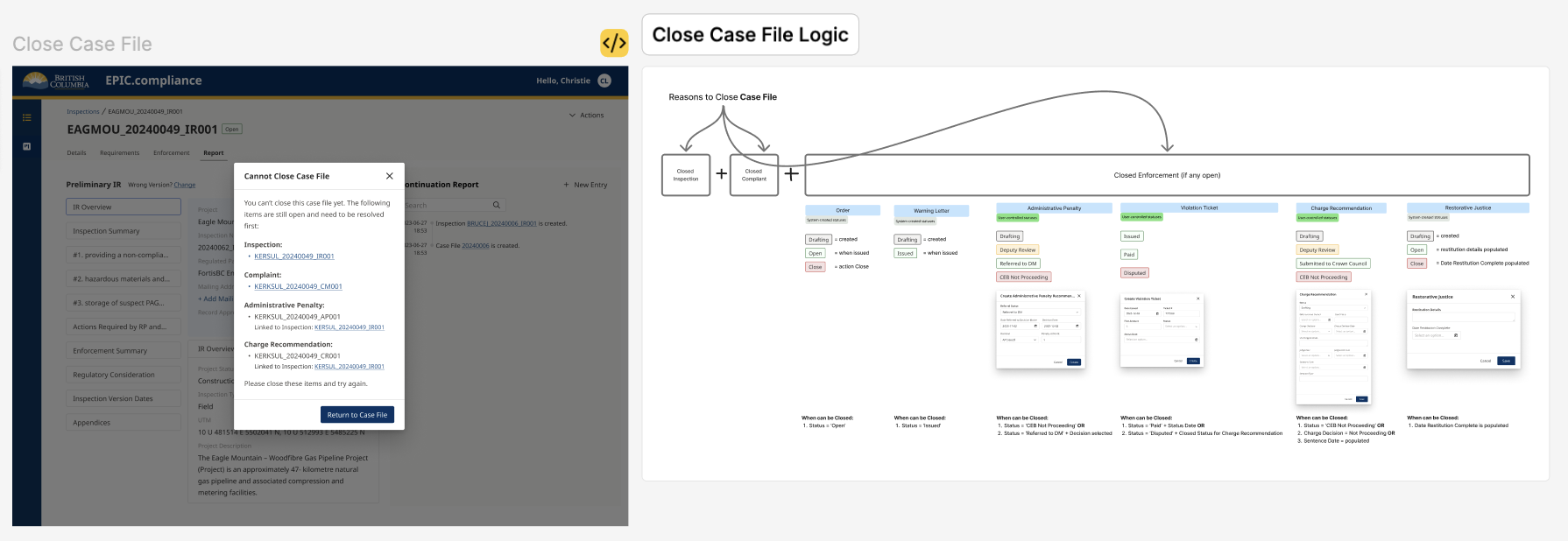
The system enforced closure rules across all linked enforcement actions, highlighting unresolved items and blocking case closure until legal and procedural requirements were met.
Cross-Context & Adaptive Use
While the platform is web-based, it was designed for use in both office and field contexts. Layouts adapt to smaller screens based on the devices officers actually use, ensuring critical workflows remain usable without introducing a separate mobile product.
This avoided fragmenting the system while still supporting work outside the office.
Roles, Permissions & Control
Given the regulatory environment, access and actions are governed by strict role-based permissions. Different users (officers, supervisors, deputy directors) see and act on the system differently, based on both responsibility and legal authority.
Rather than exposing all actions at all times, the system reveals options contextually, ensuring users can only perform actions that are valid for their role and the current state of the case.
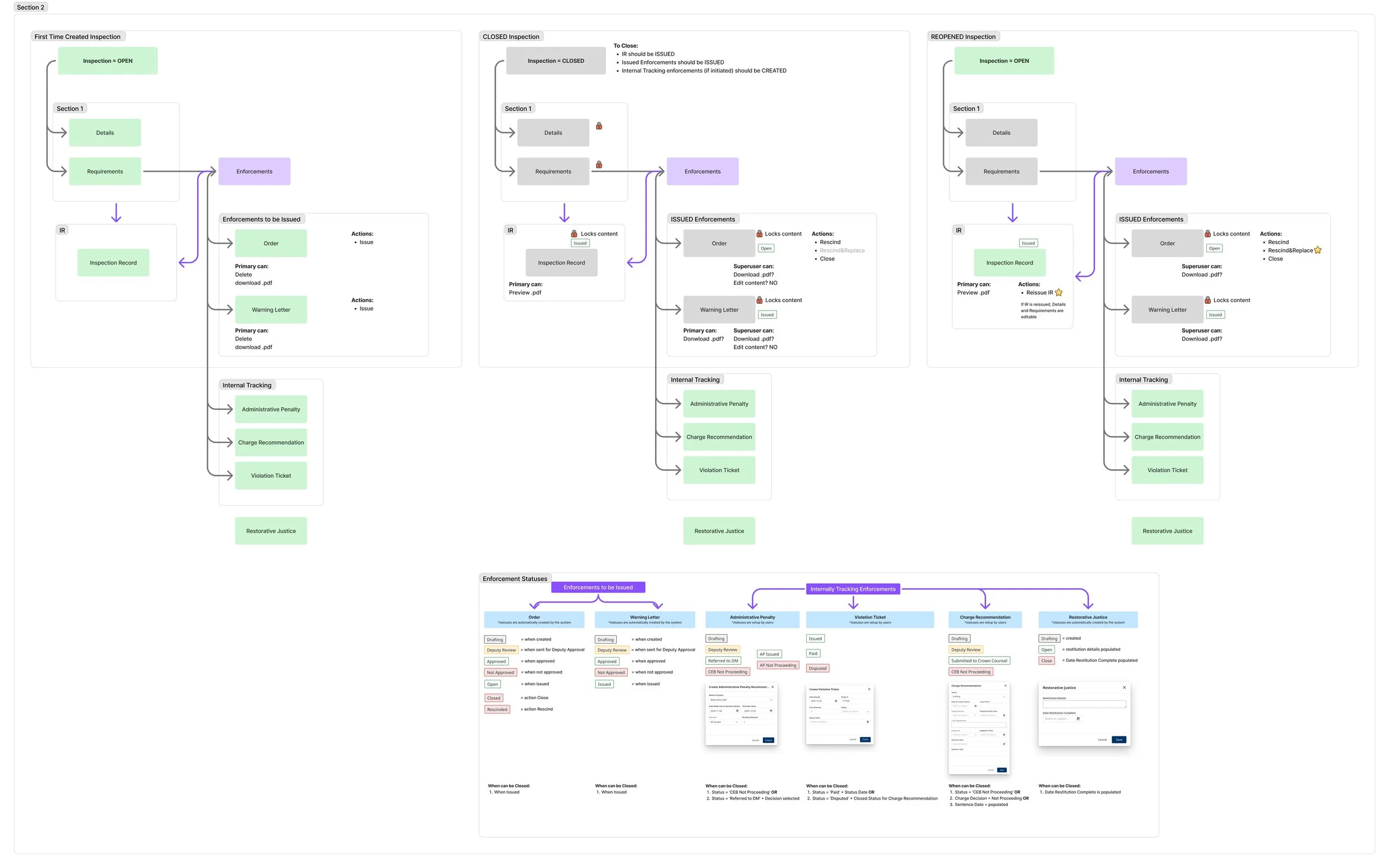
This model documents how permissions and editability shift across inspection states and enforcement types. By combining role-based access with state-driven locking, the system ensures officers only see actions they are legally authorized to perform, while supervisors retain oversight where required.
Key Design Trade-offs
Flexibility vs. Control: Prioritized system-enforced rules to prevent errors over fully free-form editing.
Speed vs. Accuracy: Accepted slightly longer structured workflows in exchange for auditability and legal defensibility.
New Patterns vs. Existing Ones: Consolidated proven patterns instead of introducing novel interactions that would increase learning cost.
Validation & Iteration
Defining Success Before Designing
Before designing or testing individual workflows, I worked with business stakeholders and Compliance & Enforcement leadership to define what success actually meant for the organization.
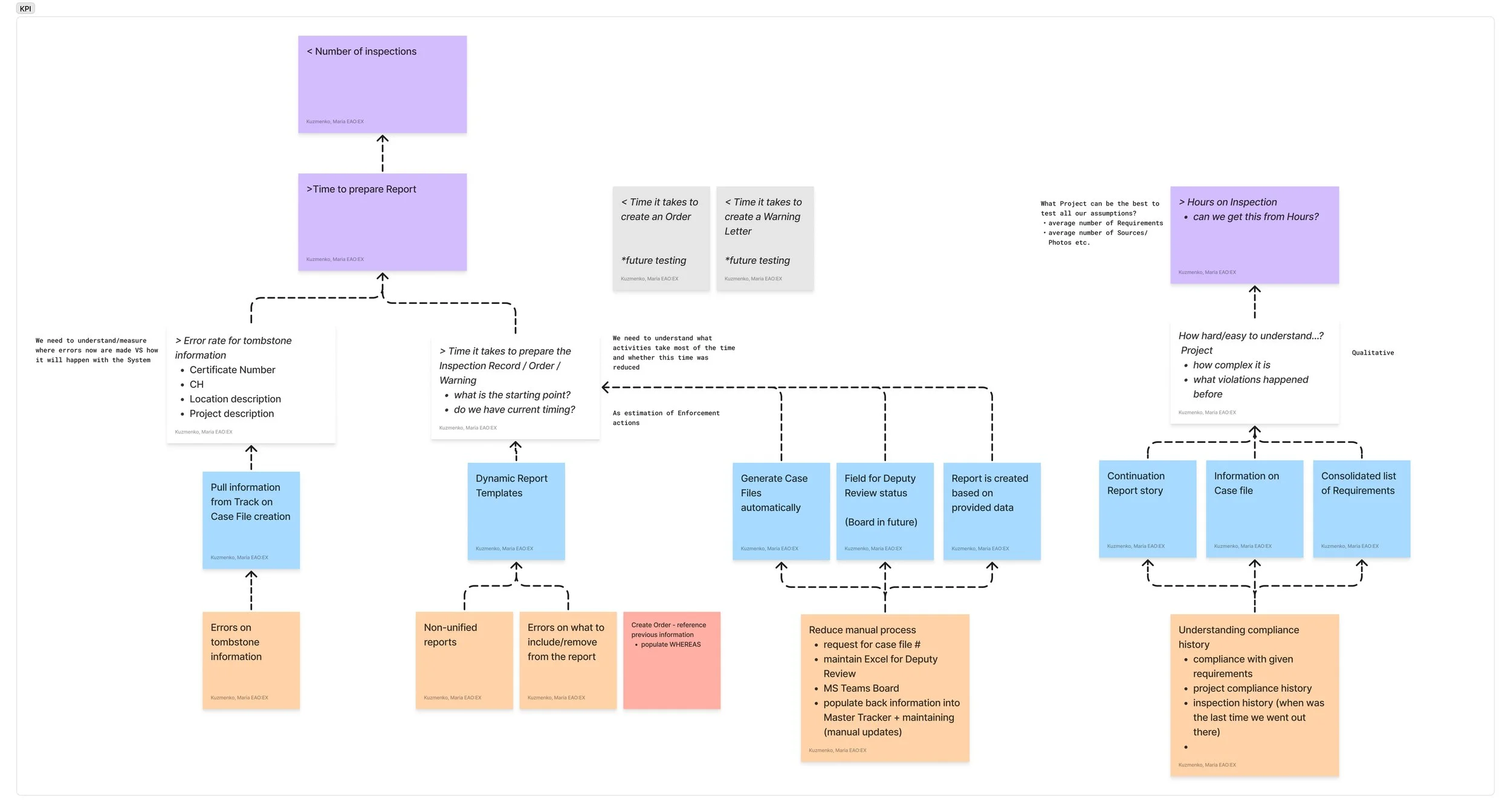
Together, we established a set of operational and quality KPIs that reflected the realities of a regulated environment — where speed matters, but accuracy, completeness, and legal defensibility matter more.
These KPIs directly informed the UX metrics used during validation.
Key business KPIs included:
Reduction in time spent creating and updating inspection and enforcement records
Decrease in duplicate data entry and manual back-population
Improved completeness and correctness of compliance records
Increased visibility into case status for reviewers and managers
Higher officer confidence in system-generated records and outputs
This alignment ensured that usability testing measured outcomes that mattered to the organization — not just surface-level usability.
How I Validated the Design
Validation was integrated throughout the design process rather than treated as a single phase.
I ran multiple rounds of task-based usability testing with Compliance & Enforcement officers using realistic scenarios based on their actual work. Sessions focused on high-risk, high-frequency workflows, including:
UX metrics tracked during testing included:
Task success rates for critical workflows
Time on task for drafting and completing key records
Error points and moments of hesitation in regulated steps
SUS scores to establish a baseline and track improvements over time
These measures allowed us to distinguish between cosmetic issues and changes that meaningfully reduced risk or effort.
Each iteration was translated into concrete design updates and development tasks, ensuring feedback led to measurable improvements rather than abstract recommendations.
Why This Matters
In a regulated environment, validation isn’t about optimization for speed alone — it’s about confidence, correctness, and trust. Lightweight but focused validation ensured the system supported real-world decision-making without introducing new risk.
Outcome & Impact
What Shipped
The Compliance & Enforcement platform was released into production in July 2025. The system supports the creation and management of case files, inspections, enforcement actions, and formal reports, with structured workflows and role-based approvals.
The product is now actively used to manage close to 1,000 case files, replacing a set of disconnected tools, spreadsheets, and document templates.
What Shifted Organizationally
Before this project, the business unit was skeptical of new digital systems due to prior unsuccessful attempts. Through iterative delivery and validation, the system shifted perception from “another tool” to infrastructure officers rely on.
Design moved from being questioned to being trusted — with officers and leadership engaging earlier in discussions about future capabilities rather than resisting change.
What This Unlocked Next
The success of the Compliance & Enforcement platform created organizational buy-in for extending digital support into adjacent areas. In particular, it enabled exploration of a follow-on product focused on geospatial compliance data, an initiative that previously lacked consensus and momentum.
The platform also established a foundation for future enhancements by providing shared system logic, documentation, and design patterns.